Bring the context in.
Import selected mail from Apple Mail or Outlook for Mac. Keep the original message and the attachments you can capture.
Your sources. Your scope.Your messages hold more than information.
They hold your next move. Bring replies, tasks and
relationships together in one thoughtful workspace.
Mac-first. AI on your terms. A web portal to connect.
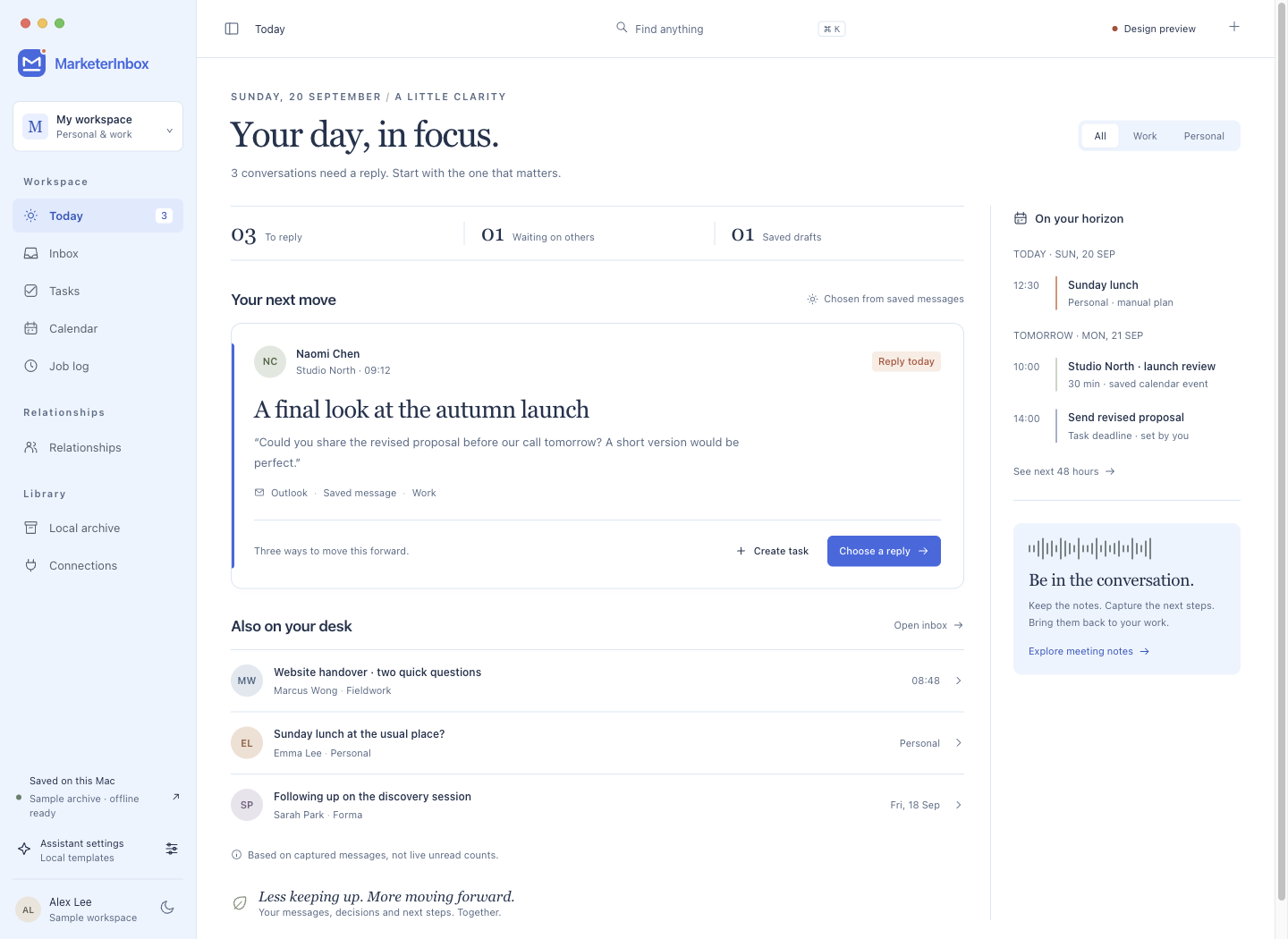
A preview of the new workspace design. Sample data shown.
For the people who do the work
and keep the relationships moving.
FROM ARRIVAL TO ACTION
You shouldn’t have to remember which conversation became which commitment. Keep the two connected.
Import selected mail from Apple Mail or Outlook for Mac. Keep the original message and the attachments you can capture.
Your sources. Your scope.See what needs a reply, explore three response directions and refine your draft. Or turn the message into a source-linked task.
A suggestion. Your decision.Follow the task, remember the person and return to the source. Your work log keeps arrivals, communication and progress distinct.
Less searching. More context.ONE CONNECTED WORKSPACE
A personal assistant, a mail workbench and a lightweight CRM. Built around the way your day actually arrives.
Choose a direction, make it yours and save or copy the reply. Use a configured AI model, or start with clearly labelled local templates.
Review, copy and send in your original app. Native sending is planned.
Give each next step a status, a date and a link back to the conversation that started it.
Keep contact notes, deal stages and follow-up dates together. A lightweight CRM for thoughtful, consistent follow-through.
Switch between Personal, Work and All. See upcoming plans and due tasks in a focused 48-hour view.
KEEP THE ORIGINAL IN VIEW
Read the conversation while you prepare your response. Keep the source close when you create work. A useful assistant helps you make a decision you can trace.
Explore MarketerInbox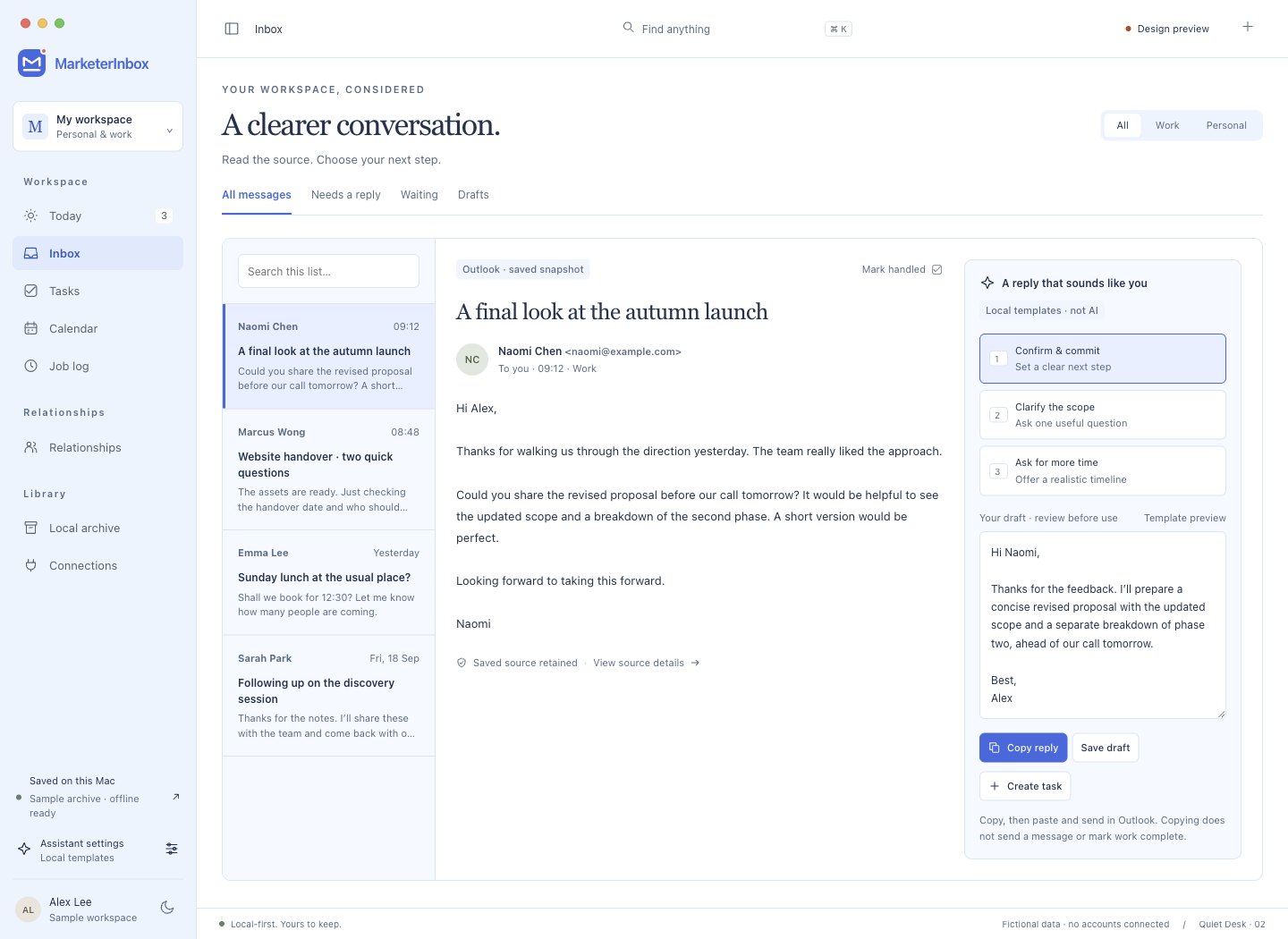
YOUR DATA HAS A HOME
Local storage is a foundation of the Mac app.
Your AI provider and what you share stay a deliberate choice.
Read captured mail offline, access saved attachments and export original messages. Portable backups keep your saved work together.
Choose Ollama on your Mac or configure OpenAI-compatible or Claude APIs. Cloud analysis requires permission; API keys live in macOS Keychain.
Review suggested work updates against their sources. A received message, a copied reply and a completed task each mean something different.
A captured snapshot covers what was imported. It is not a guarantee of complete mailbox coverage or a full provider restore.
START WITH WHAT YOU ALREADY USE
The Mac workflow is the most established part of MarketerInbox. Cloud and messaging connections are developing alongside it.
Choose accounts and folders. Import messages and available attachments as a local snapshot.
Folder selection, batched imports, cancellation and retry with duplicate checks.
Authorise selected calendars and bring the next 48 hours into your day.
Cloud & messaging Microsoft 365 and Google cloud access depend on provider configuration and account permissions. WhatsApp capture is experimental; Lark needs enterprise setup.
What’s available today?A FEW THINGS TO KNOW
Account access is handled in the MarketerInbox app portal at app.marketerinbox.com. Use the sign-in or account-creation options available there. Signing into the website and connecting a mailbox are separate steps.
MarketerInbox is Mac-first, with a web workspace in development. The native Mac app includes local mail imports, an offline archive, tasks and lightweight CRM. Web capabilities depend on the current pilot setup. iOS, Android and Windows apps are planned.
No. The current Mac reply workflow lets you review, edit, save and copy a draft, then send it in your original mail or chat app. Native sending, a reliable outbox and send approvals are future work.
No. You can use local templates without a model, configure Ollama on your Mac, or choose a supported cloud API with your own key and permission. Templates are clearly labelled and are not presented as AI-generated analysis.
It preserves the mail and available attachments you capture. Current Mac imports are scoped snapshots. Complete, resumable background history capture and full Microsoft or Google mailbox restoration are not promised by the current release.
AI can suggest new tasks and updates from captured messages. You can review them or enable limited automation for strict matches. Ambiguous links and completion decisions still need review. Fully autonomous cross-channel project management is not currently available.

YOUR NEXT MOVE STARTS HERE
A little less keeping up.
A little more moving forward.